

German Illustrated example of the Diepenbrock family coat of arms
This project began with wanting to create a modernized look to my Father’s
family coat of arms. I researched several styles of the German crest and found
most seemed detailed and styled for a specific illustrated look. I settled on
using a carved rendering from my Father’s ring to use as the basis for sketching
out ideas as it had more of the simplicity and clean design elements I was
going for.
In sketching out ideas, I isolated each element trying to hammer down a
specific sharp look to them that would translate well in a high contrast two
color design where each piece of the design was easily identifiable. I initially
played around with having the helmet portion cut into the shield but this
ultimately didn’t look good and I went with a simpler flat bottom butted up to
the top of the shield line.
Signet Ring with carved interpretation of crest.
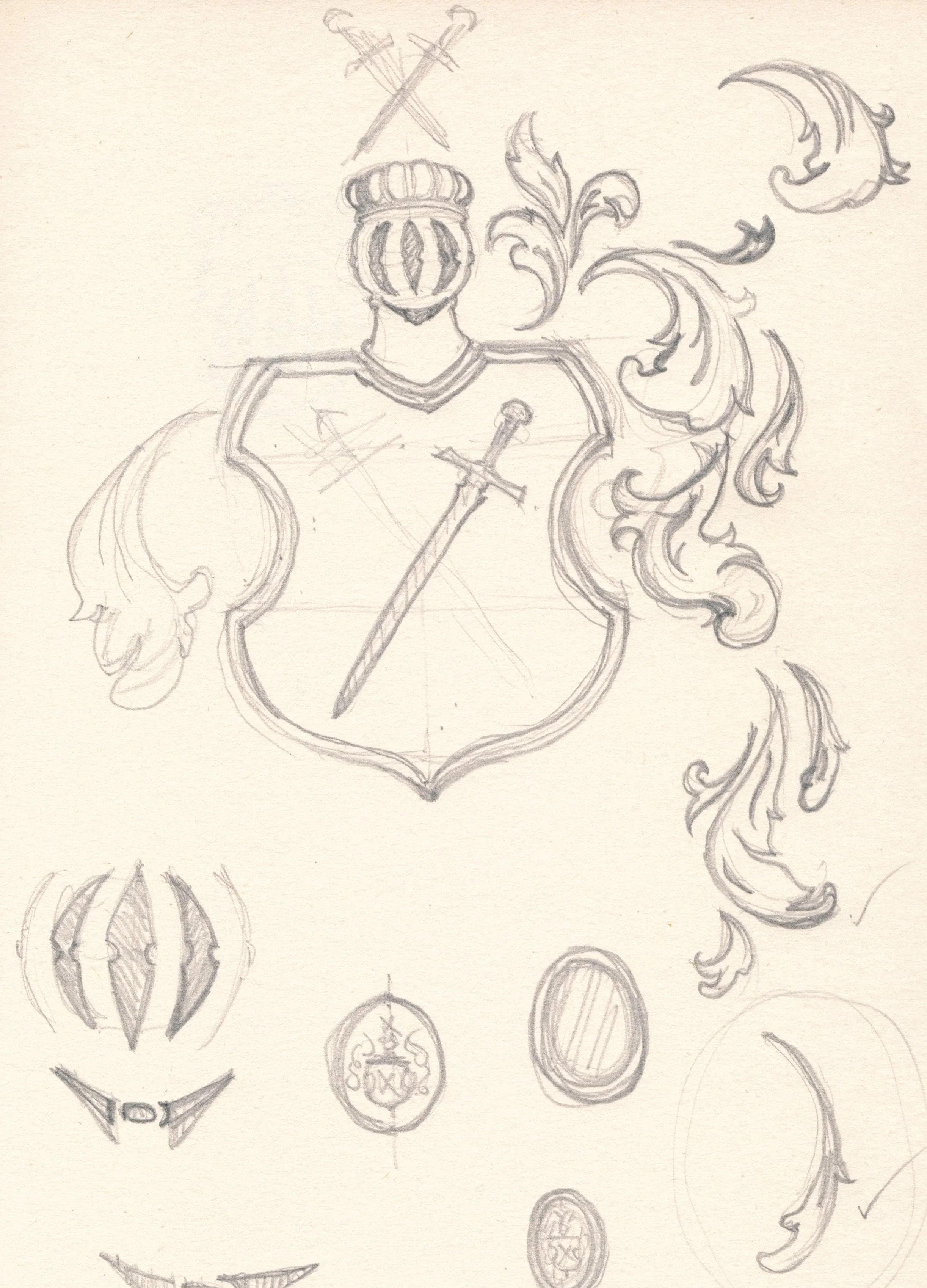
Initial Sketches of coat of arms modified to create a more modern “logo” feel
For the swords I created half of a simple sword silhouette and mirrored it, then
eyeballed the angle, mirroring again for the crossed swords.
The feathered “mantling” was an exercise in sketching out multiple iterations of
styles and shapes until I landed on what I felt looked right for the position.
The end result was what I was imagining from the beginning, a sharp and clean
two tone design that still clearly emulated the original in vector form.
Once I had the vector lines, I used these to create 3D models in Fusion 360 and
engrave red padauk wood to create a set of coasters and corresponding boxes
with white epoxy inlay.
Finalized Logo design of Diepenbrock coat of arms


Using the vector lines of the logo to form a 3D model using Fusion 360 to create usable files to CNC route wood with engravings and fill with epoxy
Quisque iaculis facilisis lacinia. Mauris euismod pellentesque tellus sit amet mollis.